
The companion every game deserves
Gamepan is a customizable game companion app for your games. Give each game its own workspace and fill it with exactly the tools it needs: checklists, notes, maps, trackers, timers, and more. No ads. No subscriptions. No sign-ups.
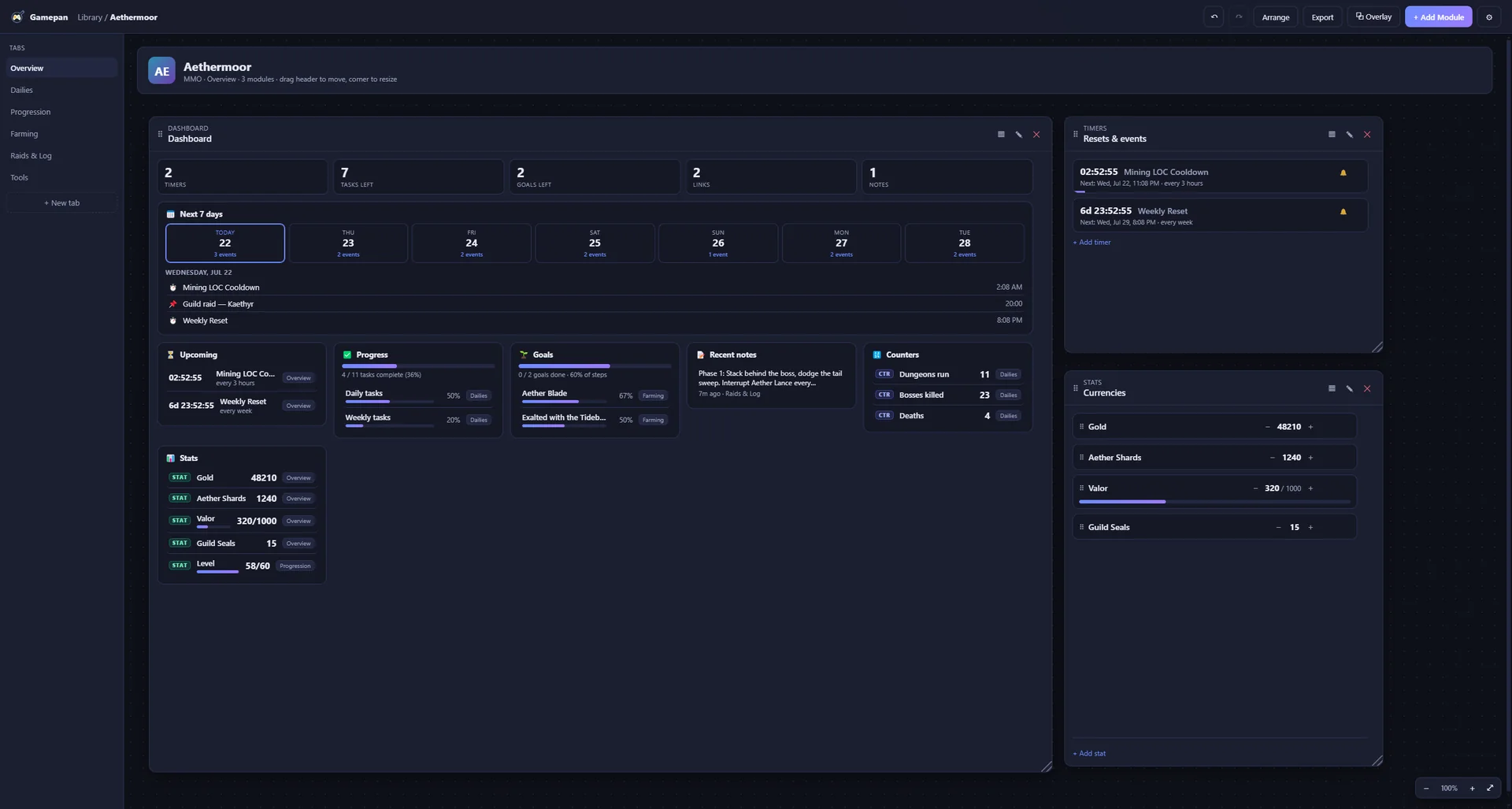
Build the workspace your game actually needs
Drag-and-drop modules on a free-form canvas. Arrange them your way. Make it yours.
One workspace per game
Give every game its own space and build a layout that fits how you play, with unlimited tabs and modules on a free-form canvas.
Overlay + auto-detect
A floating overlay keeps your tools on top of the action, and Gamepan can open a game’s companion automatically when it launches.
Cross-platform Cloud sync
Your workspaces follow you between PCs, from Windows to Linux to Steam Deck, through Steam Cloud, with images and all.
Mix and match
Drop in only what a game needs. Add more anytime. Tabs and modules are unlimited.
- Notes
- Session Journal
- Checklists
- Kanban
- Goal boards
- Tables
- Inventory
- Calculator
- Map / Pin board
- Gallery
- Builds
- Collection tracker
- +9 more →
Your data never leaves your PC
Gamepan is local-first. No account system, no tracking of any kind. Your workspaces live on your machine as plain files you fully control. Export them, back them up, or wipe them anytime.
Sharing setups is safe, too. When you import a workspace from someone else, Gamepan treats its images and links as untrusted and keeps them behind a one-click review, so nothing unexpected loads until you say so.
- No ads, ever
- No subscription
- No sign-up, no login
- Automatic version-history backups
Get Gamepan on Steam
Buy once. It’s yours. Build a workspace for every game you play.
Good to know
What is Gamepan?
A customizable desktop companion app. Instead of juggling a dozen browser tabs, you give each game its own workspace and fill it with exactly the tools that game needs: checklists, notes, maps, trackers, timers, and more.
How much does it cost?
Gamepan is a one-time purchase of $14.99. Buy it once and it’s yours. No subscription, no ads, no sign-up.
Which platforms does it run on?
Windows and Linux at launch, including native support on the Steam Deck. macOS is planned after launch.